Disputes
Learn how to handle payment disputes through Tokenz dispute notifications.
When a customer challenges a payment with their bank or card issuer, Tokenz creates a dispute and notifies you via webhooks. Understanding the dispute lifecycle and responding promptly gives you the best chance of a favorable outcome.
Overview
The dispute system provides:
- Real-time Notifications: Receive webhook events when disputes are opened or closed
- Dispute Details: Access the disputed amount, reason, and evidence deadline
- Outcome Tracking: Know when a dispute is resolved and how it concluded
Dispute lifecycle
Disputes progress through a defined lifecycle:
- Dispute Created: A customer or their bank opens a dispute against a payment
- Evidence Window: You have time until
evidenceDueByto submit delivery records via Delivery Registration API - Dispute Closed: The bank or issuer makes a final decision, closing the dispute with an outcome
Dispute status values
Disputes can have the following statuses:
created: A dispute has been opened and is awaiting resolutionunderReview: The evidence has been submitted and is being reviewed by the bank or issuer. Delivery records submitted in this state won't be sent to the bank or card issuerlost: The dispute was decided in favor of the customer; the funds have been returned to themwon: The dispute was decided in favor of the merchant; no funds were deducted
Dispute outcome values
When a dispute is closed, the outcome field indicates the final result:
lost: The bank ruled in the customer's favorwon: The bank ruled in the merchant's favor
Dispute webhooks
Configure webhooks to receive notifications about dispute events. Tokenz sends webhook events when a dispute is created and when it is closed.
dispute.created
Triggered when a new dispute is opened against one of your orders:
{
  "id": "d4584e9a-2734-4e32-8d3d-3db675ed329a",
  "object": "dispute.created",
  "createdAt": "2026-02-13T14:01:50Z",
  "test": true,
  "eventData": {
    "type": "dispute",
    "version": "v1",
    "data": {
      "dispute": {
        "id": "dispute_2CjCzaPskfh",
        "object": "dispute",
        "orderId": "order_2CjCq5NEAXR",
        "orderReference": "test-1770991267025",
        "amount": {
          "amount": 1000,
          "currency": "USD"
        },
        "reason": "fraudulent",
        "status": "created",
        "createdAt": "2026-02-13T14:01:50.158Z",
        "evidenceDueBy": "2026-02-13T14:02:50.158Z",
        "updatedAt": "2026-02-13T14:01:50.158Z"
      }
    }
  }
}
dispute.closed
Triggered when a dispute is resolved. Check the outcome field to determine whether the dispute was won or lost:
{
  "id": "aa8ac3b5-6021-4d32-8fde-da600bcf3374",
  "object": "dispute.closed",
  "createdAt": "2026-02-13T14:03:09Z",
  "test": true,
  "eventData": {
    "type": "dispute",
    "version": "v1",
    "data": {
      "dispute": {
        "id": "dispute_2CjCzaPskfh",
        "object": "dispute",
        "orderId": "order_2CjCq5NEAXR",
        "orderReference": "test-1770991267025",
        "amount": {
          "amount": 1000,
          "currency": "USD"
        },
        "reason": "fraudulent",
        "status": "lost",
        "outcome": "lost",
        "createdAt": "2026-02-13T14:01:50.158Z",
        "evidenceDueBy": "2026-02-13T14:02:50.158Z",
        "updatedAt": "2026-02-13T14:03:09.220Z",
        "closedAt": "2026-02-13T14:03:09.220Z"
      }
    }
  }
}
Dispute event fields
Top-level fields
id: Unique identifier for the webhook event (UUID)object: The event type (dispute.createdordispute.closed)createdAt: Timestamp when the event was created (RFC3339 / ISO 8601)test: Whether this event was generated in test mode
Dispute object fields
id: Unique identifier for the disputeobject: Always"dispute"orderId: The ID of the order that was disputedorderReference: Your reference for the disputed orderamount: The disputed amount in consumer currencyamount: Value in the smallest currency unit (e.g. cents)currency: ISO 4217 currency code (e.g.USD,JPY)
reason: The reason stated for the dispute. Example values are:fraudulent: The customer claims the transaction was unauthorizedduplicate: The customer claims they were charged more than onceproduct_not_received: The customer claims they did not receive the goods or serviceproduct_unacceptable: The customer claims the goods or service were defective or not as describedunrecognized: The customer does not recognize the chargegeneral: A general or uncategorized dispute reason
status: Current dispute status (created,underReview,lost, orwon)outcome: Final outcome of a closed dispute (lostorwon). Only present ondispute.closedeventscreatedAt: Timestamp when the dispute was opened (ISO 8601)evidenceDueBy: Deadline for submitting evidence (ISO 8601)updatedAt: Timestamp of the last update (ISO 8601)closedAt: Timestamp when the dispute was closed (ISO 8601). Only present ondispute.closedevents
Testing disputes
To test your dispute integration, you can simulate disputes in test mode without any real funds being affected. Test disputes let you verify that your webhook handling works correctly before going live. Note that a test dispute may only be created for successful test card payment.
How test disputes work
When you complete a test card payment, you can specify a Test Dispute Result to automatically trigger a simulated dispute against that order. The dispute flows through the full lifecycle, sending real webhook events to your configured endpoints:
- Authorization: Complete a successful test card payment with the Test Dispute Result set to either Won or Lost
- Dispute Created: A few seconds later, a dispute is created against the order and a
dispute.createdwebhook is sent. The order's dispute status changes todisputed - Dispute Closed: After another few seconds, the dispute is resolved with the outcome you selected and a
dispute.closedwebhook is sent. The order's dispute status changes to eitherdisputeWonordisputeLost
Trigger a test dispute
After completing a successful test checkout payment with the selected dispute result, you will receive webhooks matching the examples in the Dispute webhooks section above. Use these to verify that your integration correctly handles both dispute.created and dispute.closed events.
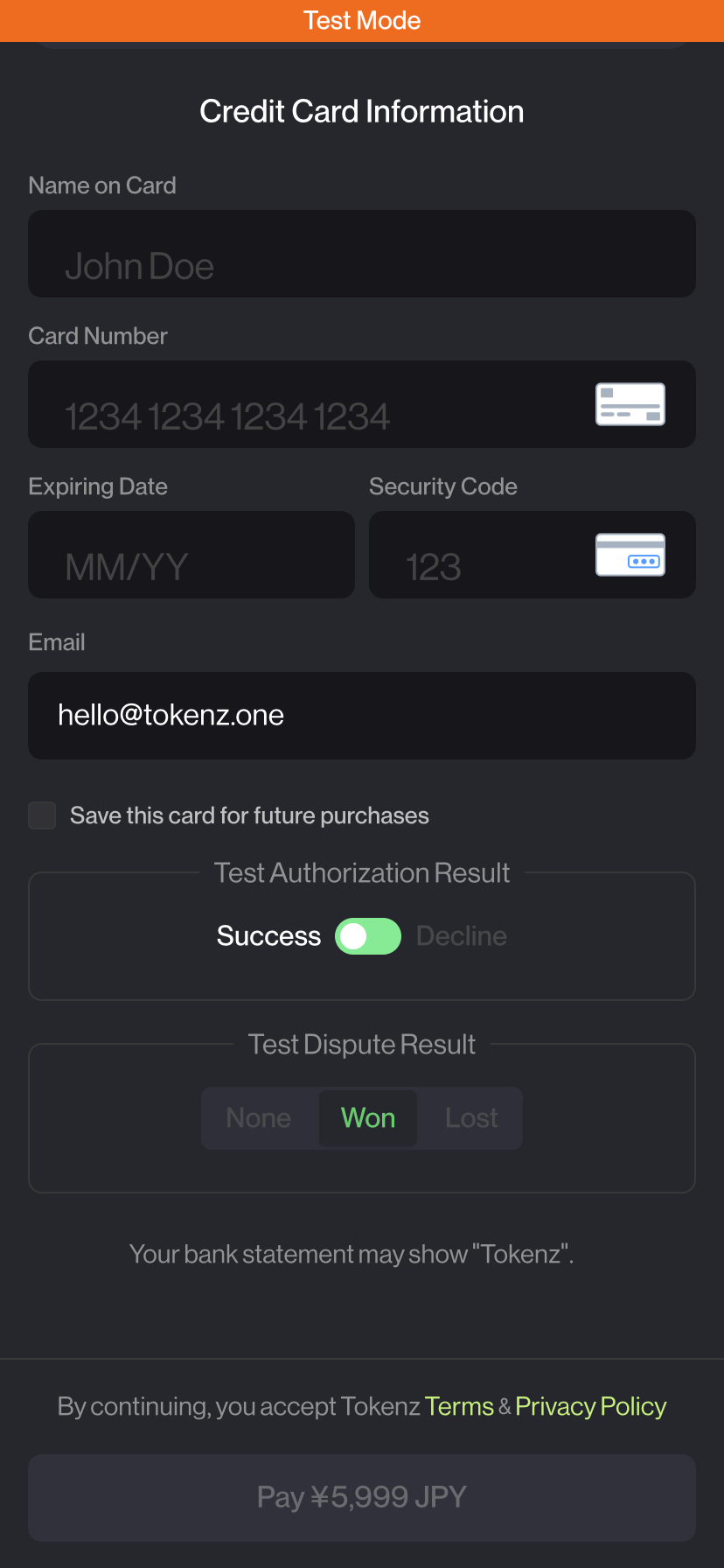
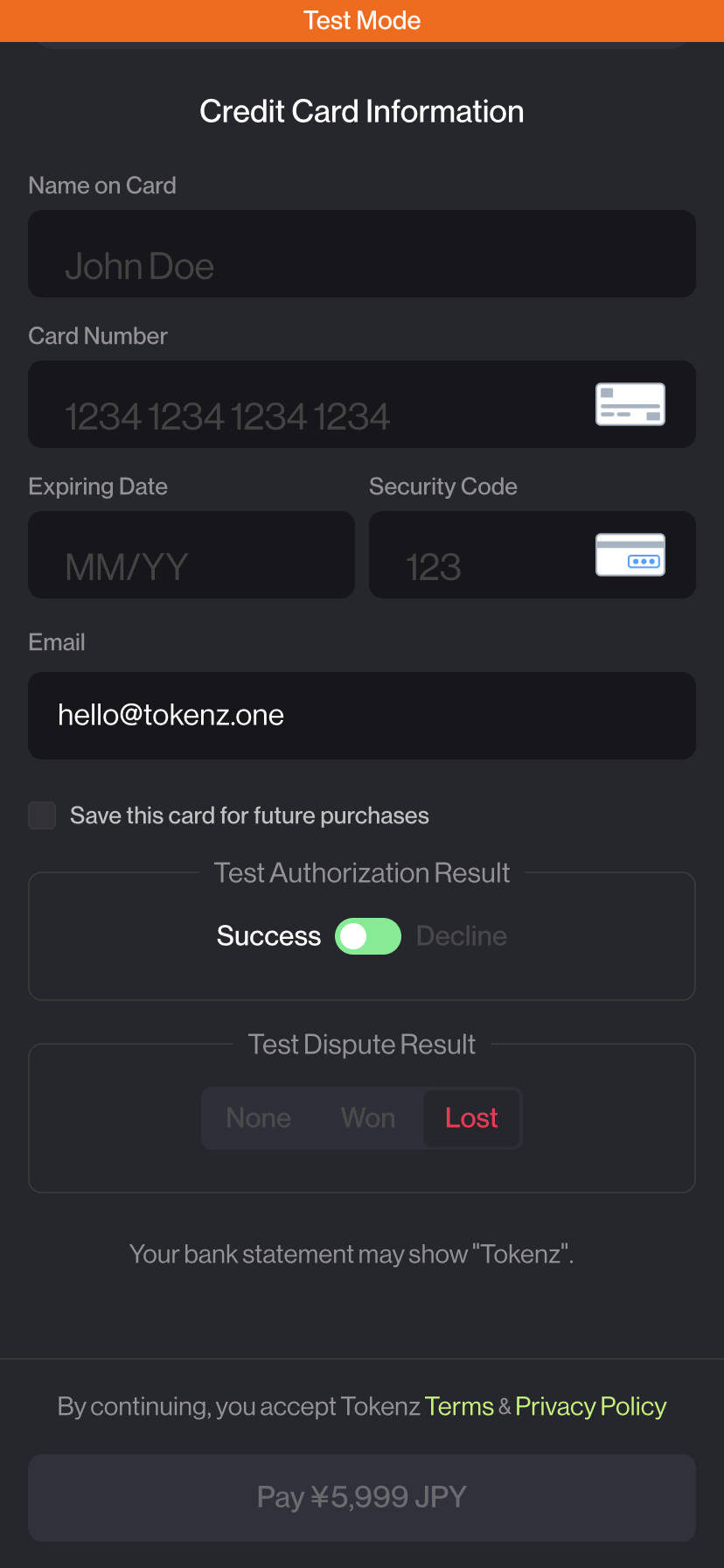
Test dispute outcomes
| Test Dispute Result | dispute.closed status | dispute.closed outcome | Description |
|---|---|---|---|
| Won | won | won | Simulates a dispute resolved in your favor |
| Lost | lost | lost | Simulates a dispute resolved in the customer's favor |
Test dispute webhooks are sent to your configured test webhook endpoints only. Make sure you have a test webhook endpoint set up to receive these events.